Updates
Supaste 1.7 - iCloud sync & Apple Intelligence
This update includes several major improvements:
iCloud Sync
Smart Auto-Filter
Dropbox Integration for easy file sharing
Apple Intelligence Writing Tools (Rewrite & Summarize)
Option to remove keyboard shortcuts
Bug fixes, performance improvements, and many other improvements
Thanks for your feedback and support. More updates are coming soon.
Supaste v1.6 - More customization
New in this update:
• Video auto-play in preview
• Show/hide toggle for Filters and Collections buttons
• More customization options
• Change clip size in the notch
• Improved Notch preview experience
• Better clipboard history workflow
• Bug fixes and performance improvements
• More customer-requested features
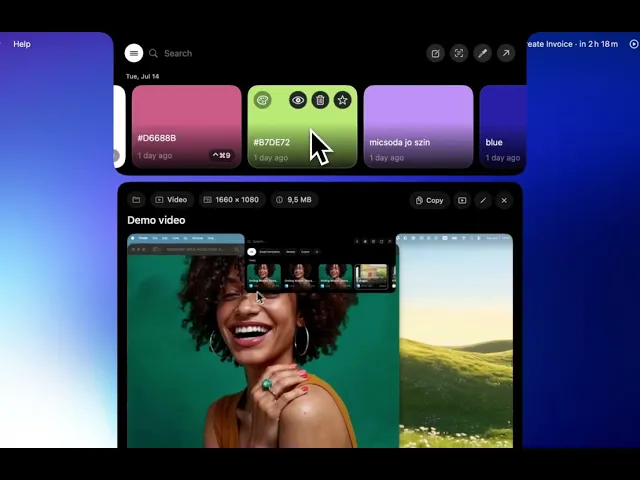
Supaste v1.5 - Preview, faster app performance
This update makes Supaste much faster, smoother, and more customizable — with a big focus on the Notch experience, previewing clips, keyboard navigation, and better clipboard control.
What’s new:
• Much faster app performance
Supaste now feels quicker and more responsive across the app.
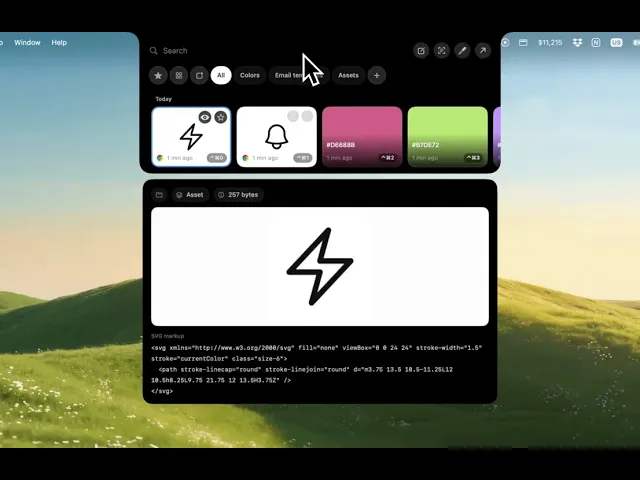
• Preview in the Notch
You can now preview clips directly from the Notch using the preview button or the Space key.
• Keyboard navigation in the Notch
Move between clip cards with your keyboard, press Space to preview, and press Enter to paste.
• More customization options
New settings give you more control over how Supaste works and feels.
• More Notch behavior options
Choose what happens when you click a clip in the Notch — paste instantly, copy to clipboard, or use your preferred workflow.
• More copy actions
Copy text in different formats, including uppercase, lowercase, capitalized, and plain text without formatting.
• Better database handling
Clipboard history is now managed more efficiently for faster loading and smoother browsing.
• More shortcuts
Supaste now includes more keyboard shortcuts, and every shortcut can be customized.
• Lots of bug fixes
This release also includes many fixes and improvements to make Supaste more reliable.
Supaste v1.5 is a big quality-of-life update for everyone who uses clipboard history, screenshots, and the Notch every day.
Supaste v1.3 is here: new views, color picker, screen text capture, and more
Supaste v1.3 is now available.
This update adds new ways to organize your clips, faster access to your favorites, built-in app updates, color picking, screen text capture, and more customization across the app.
What’s new:
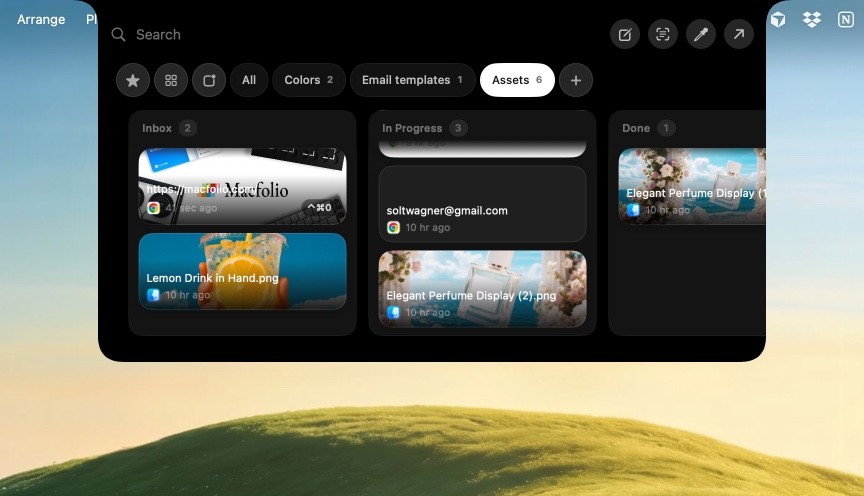
Collection Views — switch between List View, Card View, and Board View for your collections.
Custom Board Columns — organize your clips like a Kanban board with editable columns.
One-Click App Updates — when a new Supaste update is available, you’ll now get notified inside the app and can update with one click.
Color Picker — pick any color from your screen and instantly save it as a reusable color clip.
Capture Text from Screen — select text anywhere on your screen, even inside images or non-selectable areas, and save it as a clean text clip.
More Shortcut Customization — customize more shortcuts to match your workflow.
Sequential Paste — press Command + ↓ to paste your recent history clips one by one.
Favorite Clip Shortcuts — quickly paste your favorite clips with dedicated shortcuts.
Auto-Delete Unused Clips — automatically delete clips you haven’t used recently. You can customize the number of days.
Quick Shelf & Quick Paste Ordering — change the order of items in the Quick Shelf and Quick Paste window.
Default Quick Paste View — choose the default view and collection shown in the Quick Paste window.
Bug fixes and improvements — smoother, cleaner, and more reliable overall.